

List your income and expenses in columns, then total each column with =SUM(B2:B8) and subtract expenses from income to get your balance.
=SUM(C2:C8)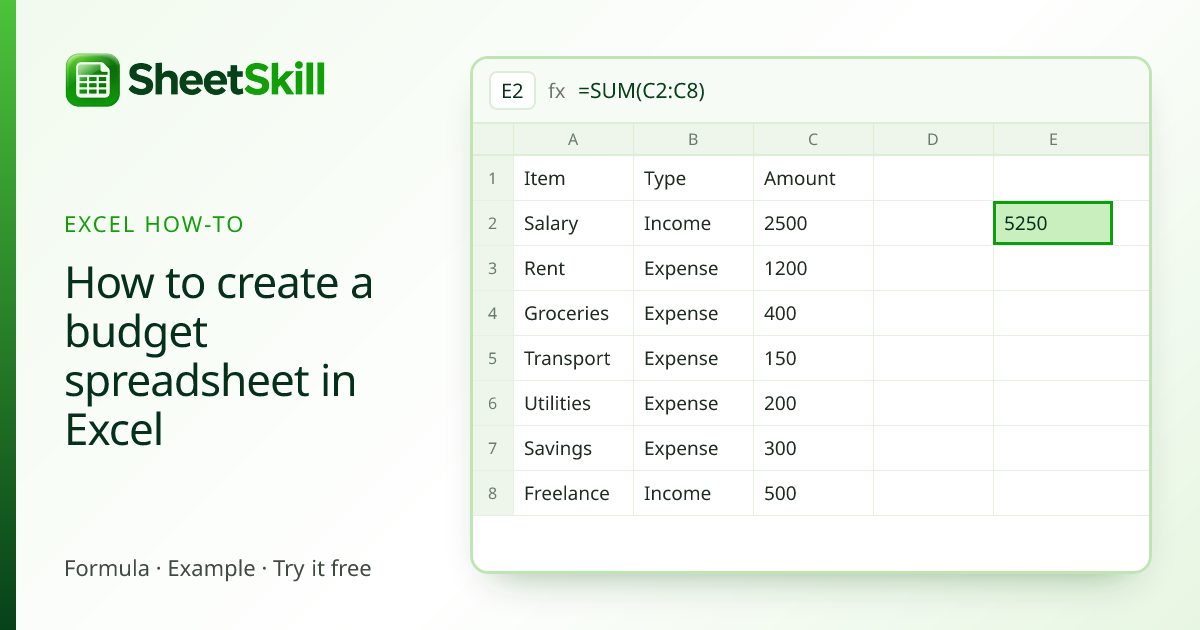
You need to track monthly spending and see whether you are staying within your income. A simple Excel budget with a few SUM formulas lets you total categories and update the numbers as bills change.
Step by step
- In row 1, type headers: Item in A1, Type in B1, Amount in C1.
- Enter each income or expense on its own row, with the amount as a number in column C.
- Select an empty cell below the amounts, type
=SUM(C2:C8)and press Enter to total all amounts. - In another empty cell, type
=SUMIF(B2:B8,"Income",C2:C8)-SUMIF(B2:B8,"Expense",C2:C8)and press Enter to get income minus expenses. - Format the total cells as currency with Home > Number Format > Currency.
Try it here
Examples
1 Total all budget amounts
This adds every amount in C2:C8, whether income or expense. It returns the sum of all listed amounts, which is useful as a quick check of the column.
| A | B | C | D | E | F | |
|---|---|---|---|---|---|---|
| 1 | Item | Type | Amount | |||
| 2 | Salary | Income | 2500 | 5250 | ||
| 3 | Rent | Expense | 1200 | |||
| 4 | Groceries | Expense | 400 | |||
| 5 | Transport | Expense | 150 | |||
| 6 | Utilities | Expense | 200 | |||
| 7 | Savings | Expense | 300 | |||
| 8 | Freelance | Income | 500 | |||
| 9 |
=SUM(C2:C8)2 Total only expenses
SUMIF adds only the amounts where the Type column says Expense. It returns the total spending for the month, which you can compare to your income.
| A | B | C | D | E | F | |
|---|---|---|---|---|---|---|
| 1 | Item | Type | Amount | |||
| 2 | Salary | Income | 2500 | 2250 | ||
| 3 | Rent | Expense | 1200 | |||
| 4 | Groceries | Expense | 400 | |||
| 5 | Transport | Expense | 150 | |||
| 6 | Utilities | Expense | 200 | |||
| 7 | Savings | Expense | 300 | |||
| 8 | Freelance | Income | 500 | |||
| 9 |
=SUMIF(B2:B8,"Expense",C2:C8)3 Calculate the remaining balance
This subtracts total expenses from total income using two SUMIF formulas. It returns the money left over, which is the key number in a budget.
| A | B | C | D | E | F | |
|---|---|---|---|---|---|---|
| 1 | Item | Type | Amount | |||
| 2 | Salary | Income | 2500 | 750 | ||
| 3 | Rent | Expense | 1200 | |||
| 4 | Groceries | Expense | 400 | |||
| 5 | Transport | Expense | 150 | |||
| 6 | Utilities | Expense | 200 | |||
| 7 | Savings | Expense | 300 | |||
| 8 | Freelance | Income | 500 | |||
| 9 |
=SUMIF(B2:B8,"Income",C2:C8)-SUMIF(B2:B8,"Expense",C2:C8)Other ways to do it
| Formula | Use it when |
|---|---|
=SUM(C2:C8) | Use when every row is an expense and you only need the total spent. |
=C2-C3-C4-C5-C6-C7-C8 | Use for a very small budget where you want to subtract each expense cell directly. |
Practise it
Free exercises with instant feedback. No sign-up needed.
Common mistakes
- The SUM formula returns 0 or ignores amounts. Check that amounts are entered as numbers, not text. Remove currency symbols or spaces, or use Home > Number Format > Number.
- The balance is wrong because income and expense labels do not match the SUMIF criteria. Use exactly the same words in the Type column, such as Income and Expense, and match the criteria in the formula exactly.
- The total includes the header row or misses the last row. Adjust the range in the formula so it starts at the first data row and ends at the last data row, for example C2:C8.
Questions people also ask
How do I make a budget spreadsheet in Excel?
List items in one column, type in another, and amounts in a third. Then use SUM and SUMIF to total income and expenses and subtract them for your balance.
What formula adds up my expenses?
Use =SUM(C2:C8) if all rows are expenses, or =SUMIF(B2:B8,"Expense",C2:C8) if the Type column separates income and expenses.
How do I show a negative balance?
The subtraction formula returns a negative number automatically when expenses are higher than income. Format the cell as Currency to show a minus sign.
Functions used
Every formula on this page was checked by SheetSkill’s spreadsheet engine. All how-to guides